 Add Row
  Add
Add 

- Did you know that email automation for small business can generate up to 320% more revenue with targeted campaigns? Discover how your small business can harness the unmatched power of email marketing and the best email automation tools to save countless hours while skyrocketing engagement and ROI.

In today’s digital-first world, small businesses are searching for ways to do more with less—less money, less hassle, and less time. What if you could multiply your sales, build loyal customer relationships, and spend fewer hours on repetitive tasks? Email automation for small business makes this possible. Whether you’re just starting or looking to scale, understanding these powerful strategies will help you unlock unprecedented growth, save time, and see your ROI soar. Read on to discover actionable secrets, top tools, and expert insights that give your business an unbeatable edge.
Why Email Automation for Small Business Is a Game Changer
- Definition and key benefits of email automation for small business
- How email marketing software transforms the marketing process
- Tangible results: reduced workload, increased marketing ROI

For any small business , email automation is nothing short of transformative. It is the process of using software to send targeted, personalized emails at scale, triggered by user behaviors or scheduled sequences. The right email marketing software automates repetitive marketing tasks, such as welcome emails, product recommendations, and abandoned cart reminders, freeing up valuable time for business owners. As a result, companies can focus on strategy, customer service, and growth—rather than getting tangled in routine email send operations.
By streamlining communication through automated workflows, small businesses not only slash their workload but also deliver more relevant content to their audience. This direct, personalized approach boosts open and engagement rates, leads to higher conversions, and helps build lasting customer relationships. Tangible payoffs include lower operating costs, faster revenue growth, and the ability to compete with larger brands using the same advanced marketing automation tools.
Perhaps most persuasive is the evidence: studies show that companies leveraging email automation consistently see improved ROI and engagement compared to those relying on manual marketing processes. In other words, adopting these strategies isn’t just a “nice-to-have”—it’s a smart, high-impact move for businesses aiming to thrive in today’s competitive digital landscape.
What You Gain by Mastering Email Automation for Small Business
- Enhanced customer engagement with email marketing platforms
- Streamlined processes using modern marketing automation tools
- Growth strategies for small businesses using email marketing services
| Tool | Features | Pricing | Free Plan | Platform Support | Integrations |
|---|---|---|---|---|---|
| Mailchimp | Automation, Landing Pages, A/B Testing | From $0/mo | Yes | Web, Mobile | +250 Apps |
| ActiveCampaign | Advanced Automation, CRM, Segmentation | From $29/mo | 14-day Trial | Web, Mobile | +870 Apps |
| Constant Contact | Easy Templates, Survey Tools | From $9.99/mo | 60-day Trial | Web, Mobile | +100 Apps |
| ConvertKit | Landing Pages, Tagging, Basic Automation | From $0/mo | Yes | Web, Mobile | +70 Apps |
"Implementing email automation for small business allowed us to triple our leads with half the effort." — Real Small Business Owner
Mastering email automation for small business brings a wide range of tangible benefits. First and foremost, it dramatically elevates customer engagement. Using powerful email marketing platforms , owners can reach the right audience at the right time, increasing loyalty and repeat purchases. Engagement is further strengthened by utilizing automated journeys that address customer needs precisely—whether it’s a welcome series , reminders, or follow-ups based on user activity.
Additionally, marketing automation tools streamline day-to-day marketing workflows. Automated tasks such as list segmentation, triggered email sequences, and routine follow-ups allow you to save time for higher-value initiatives. With less manual effort and fewer errors, small businesses can scale outreach operations and compete effectively with larger competitors—all without hiring additional staff. These gains contribute directly to steady and cost-efficient business growth.
The most forward-thinking small businesses leverage email automation not only to retain customers but to offer personalized value at each stage of the buyer’s journey. By tapping into the advanced features of modern email marketing services , you unlock critical insights through robust reporting, constant optimization, and seamless integration with your other marketing tools . This ensures your growth strategies are both data-driven and dynamically tuned to real-world customer needs.
Top 10 Strategies for Effective Email Automation for Small Business
- Choose the Best Email Marketing Service
- Segment and Personalize Your Contact Lists
- Develop Automated Welcome Sequences
- Implement Drip Campaigns for Nurturing Leads
- Automate Transactional and Notification Emails
- Use Templates and Landing Pages to Optimize Email Send
- Analyze Results with Advanced Reporting Tools
- Integrate Email Automation with Other Marketing Tools
- Leverage Free Plans and Trials for Email Marketing
- Schedule and Test Regular Campaigns for Best Results

1. Select an Email Marketing Service Tailored to Small Business
- Main factors: user-friendly interface, templates, automation, pricing/free plan
- Compare popular platforms: Mailchimp, Constant Contact, ActiveCampaign, ConvertKit
Choosing the right email marketing service is foundational. Look for a user-friendly interface that simplifies campaign creation, visual automation workflow builders, and a rich library of customizable email templates. Affordability matters for every small business , so compare free plan availability, upgrades, and hidden fees. Top services like Mailchimp, ActiveCampaign, ConvertKit, and Constant Contact each have distinctive strengths—some offer powerful automation features, while others excel at ease of use or advanced integrations with your favorite marketing tools .
Evaluate how each marketing platform supports your business type. For instance, if your team needs robust landing pages or multistep drip campaigns, prioritize platforms with these advanced features built in. If you’re just getting started, a free plan with generous limits and simple migration from your current email list can be a game-changer. Consider trialing multiple email marketing tools to find the one that fits your workflow and helps turn prospects into loyal customers.
2. Segment Contacts for Personalized Email Automation
- Importance of segmentation in email marketing
- Examples of effective customer list segmentation
Segmentation is the powerhouse behind effective email automation for small business . By dividing your email list into meaningful groups—such as new subscribers, frequent buyers, or lapsed customers—you can deliver content that resonates on a personal level. This strategy transforms mass emails into targeted, high-converting messages tailored to different customer needs and behavior.
For example, one segment may receive early-bird product announcements, while another is nurtured with loyalty rewards or educational series based on past purchases. Modern email marketing platforms simplify this process with intuitive segmentation tools and behavioral triggers. The result? Dramatically higher open and click rates, less unsubscribing, and a significant boost in ROI—all achieved with minimal manual intervention.
Personalization through segmentation ensures that every email campaign feels relevant, and is central to building lasting relationships. Over time, you’ll gather valuable data on what types of content drive engagement for each segment—empowering you to refine your automation workflows and maximize conversion with every send.
3. Welcome New Subscribers with Automated Sequences

- Building trust with automated welcome email sends
- Steps for creating a compelling welcome flow
First impressions last, especially in email marketing . That’s why automated welcome sequences are vital for every small business. A timely, friendly welcome email kickstarts the relationship and sets the tone for ongoing engagement. These automated “hello” messages can deliver sign-up confirmation, share your brand story, and provide valuable resources or exclusive offers.
The best welcome flows move beyond a single email. Consider sending a series that introduces your team, highlights your top products, or explains your unique value proposition. Using automation features within your marketing platform, you can tailor the pace and content of these emails based on subscriber behavior—making each touch point feel thoughtful, relevant, and personal. This approach increases subscriber retention and improves conversion right from the start.
4. Set Up Lead Nurturing Campaigns with Email Automation
- How lead nurturing workflows accelerate conversion
- Best practices for drip campaign automation
Nurturing your leads is critical for accelerating the path to purchase. With email automation , you can set up multi-step drip campaigns that gently educate, entice, and encourage prospects until they’re ready to buy. These campaigns are triggered by user actions—such as signing up for a newsletter or downloading a guide—and automatically deliver timely, relevant content that keeps your brand top-of-mind.
Consistency and relevance are key. Use segmentation and behavioral data to customize your drip campaign content for each audience group. Track engagement using marketing software analytics to identify which emails convert best, then optimize your workflows for even better performance. When executed well, automated nurturing helps reduce lead drop-off and increases the efficiency of your entire sales funnel.
5. Automate Transactional Emails for Seamless Communication

- Types of transactional emails (confirmation, order status, etc.)
- Why automation is critical for prompt email sends
Transactional emails—such as order confirmations, shipping updates, membership renewals, and password resets—are expected by customers and must be delivered instantly. Automating these messages with your chosen email marketing platform ensures your communications are always prompt and accurate, no matter your business size.
Using email automation for transactional notifications not only saves hours of manual work, but it also provides peace of mind. Customers receive timely, branded updates without delay, enhancing trust and satisfaction. Many marketing tools allow customization of transactional templates to include cross-sell offers or helpful support links, maximizing each touchpoint.
For ecommerce business owners especially, integrating transactional streams like abandoned cart reminders or personalized follow-up sequences can recapture lost sales and create more opportunities to delight your customers—even after a purchase is complete.
6. Utilize Responsive Templates and Custom Landing Pages
- Role of landing pages in email marketing platform success
- Template libraries in top email marketing tools
First impressions extend from your inbox to your website—so integrating beautifully designed, mobile-responsive email templates and landing pages is a must. The best email marketing tools offer extensive template libraries and drag-and-drop builders, allowing small businesses to create professional, compelling visuals without expert designers.
Custom landing pages are particularly useful for capturing leads, showcasing product launches, or running limited-time promotions. Make sure your marketing platform enables easy integration between email and landing page content. This synergy creates a seamless journey from email click to conversion, often resulting in higher engagement and a better overall ROI for your automated campaigns.
7. Analyze Campaigns Using Marketing Software Reporting
- Key metrics: open rate, click rate, conversion rate
- How marketing software helps optimize email automation strategies

Data-driven decision-making sets the most successful small businesses apart. Modern marketing software offers in-depth reporting dashboards that help you track key metrics—such as open rates, click-through rates, and conversion rates—with real-time feedback. These analytics provide the insights needed to test, tweak, and refine your email automation strategies.
By reviewing your results after each campaign, you can spot what’s working and what isn’t, enabling your business to optimize content, timing, and targeting for higher ROI. Some email marketing services even offer predictive analytics and smart recommendations, ongoing A/B testing features, and custom dashboards tailored to your unique marketing goals. The more diligent you are about leveraging these insights, the greater your results.
8. Integrate Email Automation with Your Marketing Platform
- Workflow automation between marketing tools
- Benefits of a unified marketing automation approach

Integration is the secret to multiplying the impact of email automation . The leading marketing platforms make it easy to connect your email tool with CRMs, e-commerce systems, social media schedulers, and analytics suites. This creates a unified experience where data flows freely and every touchpoint is orchestrated automatically.
With this seamless connectivity, you can automate entire customer journeys—from the initial email opt-in to post-purchase follow-up and beyond. A unified workflow reduces manual handoffs, increases campaign accuracy, and allows you to layer additional triggers for hyper-relevant communication. When all of your marketing tools play together, you save time and eliminate communication silos—creating a smarter, more agile business.
9. Maximize Value with Free Plans on Email Marketing Services
- Top email marketing services with free plans
- Limitations and opportunities of free tiers
Budget-conscious? You're in luck. Several of the best email marketing services offer free plans designed for small business needs. Platforms like Mailchimp and ConvertKit allow you to automate a set number of campaigns, access basic templates, and import your email list —without any upfront cost. Testing out these free plans gives you a risk-free way to experiment with email automation features and refine your strategy before scaling.
However, free tiers often come with trade-offs: lower send limits, less advanced reporting, and reduced automation workflow options. As your list and ambitions grow, you may need to upgrade to a paid plan to access more contacts, A/B testing, or custom branding. The good news? Starting on a free plan gives you time to master essentials, so you’ll know exactly what features to prioritize as your business matures.
10. Schedule, Test, and Optimize All Email Sends
- A/B testing for campaign improvement on email marketing software
- Scheduling for consistent audience engagement

Consistency and ongoing improvement are central to email marketing success. Scheduling your email send times using proven engagement data keeps your audience primed to interact. Many email marketing platforms include intelligent send time optimization and calendar features, making it easy to plan ahead and ensure your campaigns arrive when subscribers are most likely to engage.
Never stop experimenting—A/B testing tools help you compare subject lines, copy, images, and CTAs in real time. By continually measuring results and optimizing based on performance, your small business can steadily improve open and conversion rates, keeping you ahead of the competition and maximizing the impact of every campaign.
Essential Features to Look for in Email Automation for Small Business
- Customization options in email marketing platforms
- Automation workflows, reporting tools, integrations
- Landing page builders and CRM capabilities
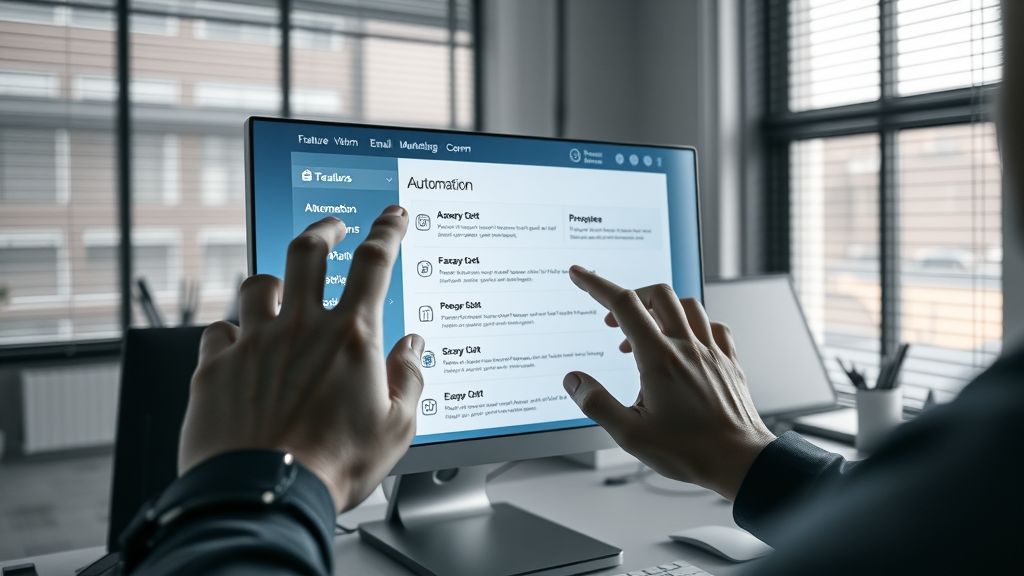
When selecting the perfect email marketing tool for your small business, focus on platforms offering robust automation workflows , detailed analytics, and deep integration options. Strong customization lets you tailor every campaign for your unique customer base. Look for email marketing software with powerful reporting tools, CRM integration, and support for custom landing pages . This capability transforms your emails into genuine customer journeys rather than one-off messages.
Prioritize ease of use: a clear dashboard, drag-and-drop automation builder, and extensive template gallery should be standard. Make sure your platform supports seamless integration with the rest of your marketing tools —from analytics and sales tracking to customer support and social media. These essential features are critical for supporting your business growth, automating time-consuming processes, and ultimately improving your marketing ROI.
Top Email Marketing Services for Small Business Compared
- In-depth feature and price comparison of email marketing tools
- Pros and cons: Mailchimp vs. ActiveCampaign vs. Constant Contact
| Tool | Automation | Segmentation | Reporting | Integrations | Cost | Free Plan |
|---|---|---|---|---|---|---|
| Mailchimp | Good | Strong | Comprehensive | Very Broad | Low to Medium | Yes |
| ActiveCampaign | Excellent | Advanced | In-Depth | Extensive | Medium | Trial Only |
| Constant Contact | Basic | Good | Moderate | Moderate | Low | Trial Only |
"The automation features in today's email marketing platforms let even the smallest businesses operate like the big guys." — Marketing Software Expert
Among the best email marketing services , each has its own unique advantages. Mailchimp is ideal for beginners thanks to its intuitive interface and solid free plan , while ActiveCampaign shines with advanced automation and CRM tools, making it perfect for those needing complex campaigns. Constant Contact is a great middle-ground—offering easy templates and strong support, but with slightly fewer advanced features. Consider the type of automations you need, your budget, and the importance of integrations or support as you compare.
Regardless of your choice, be certain to test out the tools’ interfaces, try their free trial periods, and map each offering to your most critical automation requirements (like abandoned cart emails, landing page creation, and list segmentation). Ultimately, the best marketing service will empower your team to save time and create real value with every campaign.
Success Stories: Small Businesses Excel with Email Automation
- Real-world examples of email automation for small business
- Key lessons learned from top-performing marketing campaigns

The proof is in the performance: countless small businesses have revolutionized their marketing efforts through email automation. For example, a boutique retail shop used targeted welcome sequences and personalized product recommendations to increase revenue by 60% within three months. Another local service provider tracked customer interests and followed up with automated educational series—tripling their lead conversion rate while halving their manual mail effort.
These successes highlight two crucial strategies: always keep your content relevant to each stage of the customer journey, and use thoughtful automation to make every interaction timely and authentic. The most effective businesses stay agile—adapting campaigns based on performance analytics, evolving customer preferences, and continuous experimentation. The common denominator? Leveraging smart email marketing software and powerful automation workflows to build scalable, high-ROI customer relationships.
People Also Ask: How do I set up automated email for my business?
- Step-by-step guide for setting up email automation (choose a platform, import contacts, build automation, schedule sends)
- Tools and templates for beginners
Setting up automated email starts with choosing the right email marketing platform . Once you sign up, import your current contact lists and segment them based on customer type or behavior. Next, use the platform’s visual builder to create automation workflows—such as welcome emails, lead nurture sequences, or abandoned cart reminders. Finally, schedule your first campaign, test emails for accuracy, and review results to optimize for future sends. Most email marketing services offer easy-to-use templates and step-by-step guides to help beginners launch quickly and confidently.
People Also Ask: What’s the best email platform for a small business?
- Leading email marketing platforms for small businesses ranked
- Factors to consider: integrations, ease of use, support
The “best” platform depends on your needs. Mailchimp is a favorite for its free plan and beginner-friendly approach. ActiveCampaign offers deeper automation workflows and CRM capabilities for businesses focused on complex sales journeys. Constant Contact is celebrated for its customer support and straightforward design. No matter your choice, ensure the software integrates smoothly with your marketing tools, is easy for your entire team to use, and offers helpful support as your automation strategy matures.
People Also Ask: What is the best email automation platform?
- Overview of top-rated email automation software solutions
- Features to prioritize in your selection process

Leading email automation platforms include ActiveCampaign, Mailchimp, ConvertKit, and Constant Contact. Prioritize platforms with robust automation, strong reporting, customizable templates, and easy integration with your existing marketing tools. Look for scalability and support; whether you grow from 100 to 10,000 contacts, the platform should adapt to your evolving business needs.
People Also Ask: Is there a better option than Mailchimp?
- Strong alternatives to Mailchimp for small businesses
- Unique features and price comparisons
While Mailchimp is the go-to for many, ActiveCampaign offers superior automation features and segmentation for optimizing campaigns in real-time. ConvertKit is a favorite among creators for its intuitive tagging and workflow tools, while Constant Contact excels with support and ease of use. Pricing differences exist—so consider whether you need advanced analytics or automation, and trial alternatives to see which solution best fits your growth goals.
Frequently Asked Questions About Email Automation for Small Business
- Is marketing automation expensive for small businesses? Not necessarily—many email marketing services offer generous free plans or affordable entry points. As your needs grow, you can upgrade to a paid plan for enhanced features and support.
- What’s the difference between email marketing and email automation? Email marketing refers to sending mass campaigns or newsletters; email automation automatically delivers targeted, personalized messages based on customer actions, saving time and increasing relevancy.
- Can I use email automation for both sales and support? Absolutely—automated workflows can be set up for sales follow-ups, onboarding, customer support, feedback requests, and more, ensuring timely communication throughout the customer journey.
- How do I ensure compliance with email marketing laws? Always use double opt-in, include an unsubscribe link in every campaign, and familiarize yourself with regulations (like GDPR and CAN-SPAM) to keep your email automation efforts legal and trustworthy.
Expert Insights: How to Future-Proof Email Automation for Small Business
- Adapting your email marketing strategy for evolving customer preferences
- The role of AI and smart segmentation in marketing software
"If you're not automating, you're falling behind. Email automation for small business is no longer optional—it's essential." — Industry Thought Leader
Customer preferences change rapidly. Stay ahead by regularly updating your segments, leveraging A/B testing, and using AI-driven recommendations within your marketing software . Embrace features like predictive send times, dynamic content blocks, and smart segmentation to keep your campaigns fresh, relevant, and highly effective for every audience group. As automation technology evolves, so should your strategy.
Common Pitfalls to Avoid with Email Automation for Small Business
- Over-automation and loss of human touch
- Ignoring analytics and campaign feedback
- Failing to maintain updated email lists
The most common missteps are automating too much (making messages feel “robotic”), neglecting your analytics, and letting your email list grow stale. To avoid these errors, maintain a consistent review schedule, personalize your content wherever possible, and regularly clean your contacts list for better deliverability and campaign success.
Key Considerations for Choosing Email Marketing Services
- Integration with existing marketing tools and platforms
- Usability for small business teams
- Customer support, deliverability, and compliance
| Feature | Description |
|---|---|
| Automations | Visual workflow builder, behavioral triggers, customizable flows |
| Email Templates | Wide selection, mobile responsive, easily customizable |
| Analytics | Real-time reporting on send, open, click, and convert rates |
| Support | User guides, live chat, dedicated onboarding for small businesses |
| Pricing | Free plan, affordable upgrades, no hidden fees |
Actionable Steps to Launch Email Automation for Small Business Today
- Evaluate and choose a marketing automation platform
- Set up your first automated campaign
- Segment and import your contacts
- Build compelling landing pages for lead capture
- Track, analyze, and iterate for lasting results
Ready to begin? Start your journey by picking a marketing automation tool, then create a simple, value-driven campaign. Use the segmentation and automation workflows covered here, integrate with your favorite marketing tools , and measure your results. As you gather data, refine your approach—scaling up
Ready to Take Small Business Email Automation to the Next Level?
- Step up your email marketing game with automation
- Book your free marketing strategy consultation with our expert team
Launch your first automation today, track your results, and optimize fast—because the sooner you start, the faster your small business will grow. Ready to grow your business? Book your free marketing strategy with our team today.
To enhance your understanding of email automation for small businesses, consider exploring the following resources:
- “Best email marketing service of 2025”
This comprehensive guide evaluates top email marketing services, including Mailchimp, Brevo (formerly Sendinblue), and Constant Contact, focusing on their features, ease of use, integrations, and pricing. ( techradar.com )
- “Email Automation Tools For Small Businesses: Top 5 for 2025”
This article reviews leading email automation tools tailored for small businesses, highlighting their functionalities and how they can streamline marketing efforts. ( jdrgroup.co.uk )
These resources provide in-depth analyses and comparisons to help you select the most suitable email automation tools for your business needs.




Write A Comment