 Add Row
  Add
Add 


Could optimizing your online presence be as simple as using a few powerful tools—saving you hours of work while boosting sales? The answer is yes! In today’s digital landscape, SEO tools for small businesses aren’t just an option—they’re the secret to stealing the spotlight from big competitors, reaching more customers, and making every marketing dollar stretch further. This article breaks down the best SEO software and platforms, showing how even a modest investment can lead to dramatic results. Whether you’re just starting or eager to scale, read on to discover which SEO solutions offer the biggest bang for your buck.
- How SEO tools can save time and money for small businesses
- The top SEO platforms every owner should know in 2024
- Step-by-step instructions on setup and best practices
- How to select the best SEO tool for your needs and budget
- Practical tips for maximizing efficiency and results with SEO tools
Are SEO Tools for Small Businesses Worth the Investment?
If you’ve ever wondered whether SEO tools for small businesses actually deliver real value, the answer is a resounding yes. Today, growth-minded small business owners face fierce competition—both from other local stores and from large national brands dominating search engine results. Navigating the world of search engine optimization manually can be overwhelming, error-prone, and time-consuming. Reliable SEO tools exist to remove those challenges, helping you identify ranking opportunities, audit your website, and streamline reporting so you don’t have to go it alone.
Real-world examples abound. Suppose you run a local bakery. Manual SEO means remembering to update every meta description, check for broken links, and research keywords by hand. With the right SEO software, these processes are automated—freeing up hours for what you do best: delighting customers. When used correctly, an SEO tool boosts efficiency and amplifies every marketing effort, allowing you to scale your reach without hiring an entire marketing team. Investing in SEO tools ensures smarter decision-making and more consistent growth, even with a limited budget.
Why Every Small Business Owner Needs SEO Tools
SEO tools for small businesses offer more than just technical advantages; they provide clarity, data-driven focus, and peace of mind. As a small business owner, your time and resources are precious. By using SEO tools to automate tasks like keyword research and competitor analysis, you make data-backed decisions that move the needle. These tools alert you to website errors, show you which blog posts and web pages drive the most traffic, and highlight areas for quick improvements. In essence, they act as your in-house digital marketing assistant, ensuring you don't miss out on valuable opportunities to attract local customers, grow your online presence, and outpace larger competitors.
The power of SEO tools lies in their ability to bridge the knowledge gap—making once-complex SEO strategies accessible to anyone. They track your progress over time, helping measure SEO ROI with real metrics. Whether you sell products online or run a brick-and-mortar shop, having the right SEO tool is less a luxury and more a necessity for thriving in today’s online-first world.
Common Challenges for Small Businesses in SEO
Many small businesses struggle with three core SEO challenges: lack of time, limited marketing budgets, and a shortage of technical expertise. It can be daunting to keep up with search engine algorithm changes, update meta descriptions, or ensure every new web page follows best practices. These technical and strategic barriers cause many owners to abandon their efforts, resulting in wasted resources and missed opportunities.
Another common pain point is identifying the right keywords and topics to target—especially as competition for local search intensifies. Manual SEO efforts often miss critical issues, such as broken links or slow web pages, that can hurt search results. The right SEO tools automate these tedious tasks, provide clear direction, and highlight areas for improvement so that you can compete effectively—regardless of the size of your team or marketing budget.
Benefits of SEO Tools for Small Businesses vs. Manual SEO Efforts
| SEO Tools | Manual SEO Efforts | |
|---|---|---|
| Time Spent | Automates repetitive tasks; saves hours weekly | Labor-intensive; consumes valuable work hours |
| Accuracy | Real-time error detection and recommendations | Prone to missed issues and human error |
| Data Insights | Comprehensive analytics, trend tracking, and reporting | Limited to manual tracking and basic observation |
| Cost-Efficiency | Reduces need for outside SEO consultants | May require hiring additional staff or consultants |
| Results | Faster, more reliable growth and improved ranking | Slower, inconsistent, and harder to measure impact |
"The right SEO tools can level the playing field for small businesses competing with giants online."
- Automate tedious SEO tasks to save time and money
- Unlock actionable insights for quick website improvements
- Boost your site’s ranking without specialized technical skills
- Access real-time data to monitor what’s working and what isn’t
- Grow your customer base using proven SEO strategies
Category Comparison: Types of SEO Tools for Small Businesses

Overview of On-Page vs. Off-Page SEO Tools
SEO tools for small businesses generally fall into three main categories: on-page, off-page, and technical SEO tools. On-page SEO tools help you optimize elements directly on your website, such as meta descriptions, title tags, and internal linking. These tools scan your web page content for relevant keywords, check for duplicate content, and offer suggestions to boost search engine visibility. Popular on-page SEO software includes plugins for blog posts, browser extensions for real-time analysis, and comprehensive site audits that check your optimization strategy from top to bottom.
Off-page SEO tools, in contrast, help small business owners focus on strategies that impact site authority and reputation outside of their own domains. These tools assist with tracking backlinks, monitoring brand mentions across social media and websites, and evaluating the quality of external links. In tandem, both types of SEO tools provide a balanced approach to growing your online presence—especially important as Google’s algorithms become more sophisticated.
Technical SEO Tools: The Silent Engine
Technical SEO tools operate behind the scenes, ensuring your website is easy to crawl and index by search engines like Google. For small businesses, these tools identify issues such as slow-loading pages, broken links, duplicate content, and mobile usability errors. Often overlooked, technical SEO is the silent engine that powers long-term growth, providing the foundation for all other optimization efforts.
By using a technical SEO tool, you can receive instant alerts about site speed problems, security issues, or missing XML sitemaps—all without the need for an in-house developer. For business owners with limited resources, these technical solutions are crucial for spotting problems early, preventing search ranking drops, and delivering a seamless user experience that keeps customers coming back to your site.
Comparison of On-Page, Off-Page, and Technical SEO Tools
| Type of SEO Tool | Function | Benefits for Small Businesses |
|---|---|---|
| On-Page SEO Tools | Optimize content, meta tags, internal links | Improve web page relevancy and visibility |
| Off-Page SEO Tools | Monitor backlinks, brand mentions | Build site authority; enhance reputation |
| Technical SEO Tools | Audit site health, detect errors | Prevent ranking losses; support smooth site performance |
1. Google Analytics: The Must-Have SEO Tool for Small Businesses
How Google Analytics Empowers Small Business Owners
Google Analytics stands out as a must-have SEO tool for small businesses of every kind. With its robust data tracking capabilities, business owners can understand where website traffic comes from, which web pages keep visitors engaged, and how their blog posts or products perform over time. Google Analytics provides a clear window into customer behavior, measuring everything from bounce rates to successful conversions, so you can focus on what really works in your digital marketing strategy.
For any small business owner, this platform levels the playing field by offering enterprise-grade insights for free. By monitoring key SEO metrics, you can identify your best-selling services, improve your meta descriptions, and even learn which social media channels bring valuable traffic. Ultimately, Google Analytics enables you to make confident, evidence-based decisions about your marketing spend and SEO strategy—helping you outpace even larger competitors in search results.
Step-by-Step: Setting Up Google Analytics
Setting up Google Analytics is straightforward and only takes a few minutes. First, create a Google Analytics account using your business email address. Next, add your website as a property, following the guided setup instructions to input details such as your site URL and business profile. Once your account is active, Google Analytics will provide you with a tracking code. Simply install this snippet onto every page of your website—typically via your content management system or by adding it directly to your site’s header.
After setup, Google Analytics will begin collecting data immediately, displaying it on a user-friendly dashboard. You’ll be able to see which blog posts perform best, track incoming traffic sources, and set custom goals for conversion tracking. With these simple steps, even non-technical small business owners can unlock enterprise-level insights to drive their digital growth.

- Sessions: Number of visits to your site
- Bounce Rate: How often visitors leave after seeing one page
- Session Duration: Average time a visitor spends on your site
- Traffic Channels: Sources of your web traffic (organic search, social media, referrals)
- Top Landing Pages: Which pages get the most attention
- Goal Conversions: Actions that matter to your business (sales, sign-ups, calls)
"You can't improve what you don't measure. Google Analytics is essential for tracking your SEO success."
2. Google Search Console: Essential for Small Business SEO
Why Google Search Console is Vital for Small Businesses
Google Search Console is another essential free tool offered by Google that empowers small business owners to monitor, maintain, and troubleshoot their website’s presence in Google search results. This seo tool gives business owners direct access to critical information, such as site indexing status, keyword rankings, impressions, and click-through rates. With Google Search Console, you’re alerted to errors that may prevent your website or web pages from appearing on Google, so you can fix them quickly and protect your site’s visibility.
Through valuable reports, Google Search Console enables you to see which queries bring people to your site, how your site appears on search engine results pages (SERPs), and whether your site is mobile-friendly. This transparency demystifies the process of SEO, allowing small businesses to address issues proactively, adjust their strategies, and stay ahead of competitors in the digital race.
Monitoring Search Results and Technical SEO with Google Search Console
The real strength of Google Search Console is its continuous monitoring of your search results and technical SEO health. It highlights search keywords your business is ranking for, shows the average ranking position, and provides visibility into how many people click your result after seeing it. You’ll receive alerts about broken links, security vulnerabilities, or duplicate content issues—each with actionable recommendations for fixing critical issues before they impact your SEO.
Business owners can use these insights to identify underperforming web pages, improve their meta descriptions, or enhance structured data for better search engine optimization. The tool also allows for easy submission of new or updated web pages for indexing, ensuring your changes reflect in live search results quickly. By actively using Google Search Console, small businesses gain a strategic edge in both technical SEO and overall search performance.

- Index coverage errors and fixes
- Manual action and security issue alerts
- Sitemap submissions and index status updates
- Performance trends: clicks, impressions, average search position
- Mobile usability warnings
3. Keyword Research with Google Keyword Planner
How Google Keyword Planner Helps Small Businesses Find Opportunities
Google Keyword Planner is a powerhouse keyword research tool that uncovers the real search terms your potential customers use, revealing new blog post ideas and web page optimization strategies. For small business owners on a tight marketing budget, Keyword Planner offers vital insights into high-traffic, low-competition keywords that can drive qualified leads without expensive PPC investments. Leveraging this free Google tool, you can prioritize your content and promotional strategies around the most valuable keyword opportunities, maximizing every dollar spent on SEO software and campaigns.
The platform breaks down average monthly search volumes, keyword competition levels, and estimated cost-per-click values. This empowers businesses to fine-tune their messaging, target relevant keywords at each stage of the customer journey, and build a scalable SEO roadmap that grows alongside your business. Ultimately, Google Keyword Planner simplifies the keyword research process, making it accessible to anyone who wants to boost their website’s rankings and reach.
Practical Keyword Research Steps for Small Businesses
Begin by logging into Google Keyword Planner and entering a seed keyword related to your product or service. Use the tool to generate a list of suggested keywords, paying close attention to local search modifiers if your customers are nearby (for example, “best bakery in Brooklyn”). Examine search volume, competition, and relevance to your specific business profile. Shortlist terms with high search potential but manageable competition—these will be the targets for your next blog post or web page update.
Continuously refine your keyword research strategy by tracking which phrases generate the most clicks and conversions in Google Analytics. Over time, adjust your site structure, content, and meta descriptions to better match user intent and evolving trends. For ongoing success, revisit your list quarterly, ensuring your SEO focus aligns with what matters most to your target audience and local market.

- Monthly search volume
- Keyword competition (high, medium, low)
- Estimated cost-per-click (CPC) for paid campaigns
- Search trends over time
- Local vs. national keyword variations
"Effective keyword research shapes the entire direction of your SEO strategy for small business growth."
4. Screaming Frog: A Technical SEO Tool for Small Businesses
Overview: Screaming Frog and Technical SEO Auditing
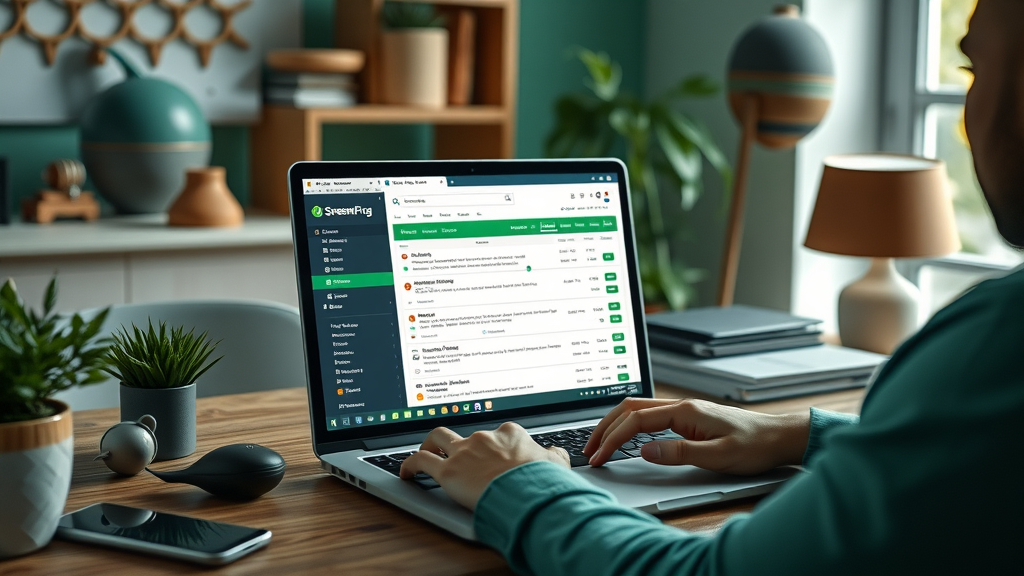
Screaming Frog is a leading technical SEO tool widely praised by digital marketers and business owners alike. Its main function is to crawl your entire website, identifying technical SEO issues that can stall your rankings in the search engine results. Screaming Frog provides a visual audit of your site structure, highlights problems like duplicate content, missing meta descriptions, and broken links, and offers a prioritized list of technical fixes. What sets this SEO software apart is its comprehensive reporting—perfect for busy small businesses wanting actionable insights fast.
The tool’s easy-to-use interface presents complex technical information in a digestible way. Whether you’re a seasoned marketer or a new small business owner, Screaming Frog’s powerful crawling and analysis capabilities enable you to quickly shore up your site’s foundational SEO before competitors can pull ahead.
Actionable Screaming Frog Features for Small Business Owners
Screaming Frog doesn’t just detect problems; it delivers solutions. The tool flags missing meta tags, empty meta descriptions, broken internal and external links, slow-loading pages, and duplicate titles throughout your site. It also helps optimize your site structure by visualizing link depth, detecting orphaned pages, and verifying proper redirect implementation. Its export functions let business owners send technical recommendations directly to their web developers or use results to strengthen their own SEO strategy.
Its detailed audits enable you to attack low-hanging fruit—quick technical wins that improve user experience and boost search rankings with minimal investment. Even better, Screaming Frog offers a free version ideal for small businesses with fewer than 500 pages, delivering unbeatable value and making technical SEO accessible to all.
- Fix broken links (404 errors) and redirects
- Update missing or duplicate meta tags
- Identify slow-loading or oversized web pages
- Spot duplicate content and titles
- Ensure XML sitemaps are accurate and up-to-date
Technical SEO Features Comparison: Screaming Frog vs. Alternatives
| Feature | Screaming Frog | Alternative (SiteBulb, DeepCrawl) |
|---|---|---|
| Comprehensive Website Crawls | Yes | Yes |
| Free Version | Yes (Limited) | No |
| Broken Link Detection | Yes | Yes |
| Exportable Audit Reports | Yes | Yes |
| Integration with Google Analytics/Search Console | Yes | Varies |
5. All-in-One SEO Software: Streamlined Management for Small Businesses
Pros & Cons of All-in-One SEO Software
All-in-one SEO software solutions like SEMrush, Ahrefs, and Moz Pro bring together keyword research, site auditing, competitor tracking, and backlink analysis into a single dashboard. For small business owners, these platforms mean less time juggling multiple tools and more time acting on strategic insights. They offer automated reporting, workflow automation, and ongoing monitoring that would otherwise require a dedicated SEO team.
However, these comprehensive platforms can also come with steeper learning curves and higher monthly costs. Some offer a vast array of features that may be underutilized by very small businesses with simple SEO needs. The key is to balance the cost against the time you’ll save and the actionable data you’ll gain by consolidating all critical SEO efforts into one place.
Recommended SEO Tools for Small Businesses in 2024
Choosing the right all-in-one platform depends on your size and needs. SEMrush is a favorite for its robust competitor research and powerful site audit tools. Ahrefs delivers deep backlink insights and industry-leading keyword research features. Moz Pro offers user-friendly interfaces and flexible pricing—perfect for SMBs just getting started. Each of these platforms features integrations with Google Analytics and Google Search Console, helping you build a complete picture of your search engine optimization performance in real time.
Many also include built-in local SEO modules, automating the process of updating your Google Business Profile and monitoring your online reputation. Start with a free trial to ensure the software fits your workflow. Small business owners should prioritize platforms that offer easy onboarding, reliable support, and actionable insights over raw feature count.

- SEMrush: Best for deep competitor and keyword research
- Moz Pro: User-friendly with strong local SEO focus
- Ahrefs: Leading backlink tracker with extensive tutorials
- Ubersuggest: Affordable, accessible SEO tool for tight budgets
- SurferSEO: Optimizes content creation and on-page SEO
Local SEO Toolkits for Small Businesses: Overlooked Essentials
Boosting Local Search Results with Specialized SEO Tools
Local SEO is critical for brick-and-mortar businesses wanting to drive foot traffic and boost online bookings. Specialized local SEO tools—such as BrightLocal, Moz Local, and Whitespark—help small businesses optimize their Google Business Profile, manage directory listings, and monitor local search rankings. These SEO tools make it easy to ensure business name, address, and phone details are accurate across hundreds of sites, increasing your chances of showing up in local map packs and voice search results.
These platforms alert you to duplicate listings, manage customer reviews, and highlight missed opportunities for building citations. The result: your business appears more consistently in local searches, and new customers always find you with up-to-date information.
Getting the Most from Local SEO Tools for Small Business Success
Start by claiming and verifying your Google Business Profile and syncing your details across major directories using your chosen local SEO software. Regularly monitor for negative or duplicate listings, respond to reviews, and add fresh photos or posts to your local listings. Advanced tools provide suggestions for earning new backlinks from local organizations or publications.
For best results, check your local rankings monthly. Adjust your web page content to reflect seasonal services, events, or limited-time offers to maintain relevance in the search results. With consistent effort, specialized local SEO tools become a game-changer for small businesses aiming to dominate their city or neighborhood’s search landscape.

- Claim and verify your business on Google
- Ensure all business info is uniform across directories
- Optimize business categories and service descriptions
- Encourage satisfied customers to leave online reviews
- Monitor and respond to all feedback promptly
People Also Ask: Essential SEO Tools for Small Businesses

Which are the best SEO tools for a beginner?
- Google Analytics: Easy setup and essential for tracking SEO progress
- Google Search Console: Simple, free technical SEO monitoring
- Ubersuggest: User-friendly for basic keyword research and site audits
- Yoast SEO (for WordPress): Plugin for optimizing on-page SEO without technical skill
Does Google have a free SEO tool?
- Yes, Google offers several free SEO tools, including Google Analytics, Google Search Console, and Google Keyword Planner.
- These enable small businesses to monitor traffic, track keyword performance, fix site errors, and identify growth opportunities—all at zero cost.
What is the cheapest SEO tool?
- Google’s suite of free tools (Analytics, Search Console, Keyword Planner) are the best starting points.
- For comprehensive features on a budget, Ubersuggest and Moz Pro (with entry-level plans) are smart choices for small businesses.
Does SEO really work for small businesses?
- Yes, small businesses regularly see increased website traffic, new leads, and better local search rankings after implementing proper SEO.
- Case studies show that with the right SEO tools, small business owners can double or triple online inquiries within months—proving SEO is a worthwhile investment.
How to Choose the Right SEO Tools for Your Small Business
Factors to Consider When Selecting SEO Software
Choosing the ideal SEO tool for your small business begins by evaluating your primary goals—whether it’s improving technical SEO, boosting local search visibility, or maximizing your blog post reach. Consider ease of use, integration with existing platforms (such as Google Analytics and social media management tools), and available customer support. Don’t overlook the importance of scalable solutions—your chosen software should grow as your business expands, allowing you to unlock advanced features when needed.
Review online tutorials and knowledge bases for each SEO software platform. Some tools provide more educational resources, community forums, or dedicated onboarding specialists, which can significantly streamline your learning curve and maximize ROI.

Balancing Cost, ROI, and Usability for Small Business Owners
Finding the right balance between affordability and functionality is crucial for small businesses with tight margins. Compare free versus paid versions of top seo tools, weighing whether additional analytics, workflow automation, or advanced support justify the monthly investment. Look for platforms offering free trials—this approach ensures you only pay for features you’ll actually use. Remember, the best SEO tool is one you (and your team) will consistently use to improve your website and attract new customers.
Return on investment should be measured in hours saved, site traffic gained, and conversion rates improved. An intuitive dashboard, automated alerts, and actionable suggestions are essential for long-term usability and value.
- Clear reporting and actionable insights
- Integrations with Google services and social media
- Responsive customer support
- Easy onboarding and user-friendly interface
- Affordable plans or valuable free trials
Maximizing the Value of SEO Tools: Expert Tips for Small Businesses
Workflow Automation with SEO Software
To truly save time and maximize the impact of your SEO investment, use your chosen tool’s automation features. Set up regular automated reports to track search results, keyword rankings, and site health. Configure alerts for technical issues—such as broken links or drops in web page load speed—so you can quickly address problems without constant manual checks. Connecting SEO software to your content management system streamlines on-page optimization, speeding up blog post publishing and updating meta descriptions with just a few clicks.
Automation doesn’t mean sacrificing oversight—instead, it lets you focus on deeper strategy while the SEO tool manages repetitive tasks. This hands-off approach enables small business owners to reclaim valuable time and stay agile in the ever-changing digital market.
Common Mistakes Small Businesses Make with SEO Tools
One of the most frequent mistakes is purchasing advanced SEO software without understanding its core features. It’s essential that business owners take time to learn the basics, follow guided tutorials, and leverage customer support for a smooth setup. Another pitfall is ignoring regular updates—SEO tools only work if they’re correctly configured and checked regularly. Relying solely on automated suggestions, instead of combining them with human insight and industry trends, can also limit overall effectiveness.
To avoid these traps, set aside time for monthly SEO reviews, ask for help when needed, and always stay attuned to evolving customer needs and search engine optimization trends. Remember, the right SEO tool is a partner in your growth—not just another subscription.

- Set automated email alerts for site errors and ranking drops
- Schedule monthly SEO check-ins to review progress and new opportunities
- Invest time in user training and ongoing education
- Don’t spread your budget thin—prioritize the tools that deliver the greatest value
FAQs About SEO Tools for Small Businesses
- What features should I look for in an SEO tool? Look for actionable keyword tracking, technical site audits, integration with Google services, automated alerts, and comprehensive reporting—all tailored to your business size.
- Can I manage SEO on my own, or do I need an agency? With today’s user-friendly SEO tools, most small business owners can handle the basics in-house, then hire an agency for advanced needs. Start small, optimize continuously, and only outsource when necessary.
- How often should I check my SEO reports? Review your analytics and keyword rankings monthly for best results. Set up real-time alerts so critical issues don’t wait for your attention.
- Is local SEO different from general SEO? Yes! Local SEO prioritizes visibility in local search results and directories. Use specialized local SEO tools to manage business listings, collect reviews, and monitor maps rankings.
Key Insights: What You’ve Learned About SEO Tools for Small Businesses
- SEO tools are essential time-savers for small business owners competing online
- Start with Google’s free tools, then layer on specialist platforms as you grow
- All-in-one SEO software and local SEO tools streamline management and reporting
- Focus on automation, monthly reviews, and ongoing learning for maximum impact
Unlock Your Growth: Take Your Small Business Further with the Right SEO Tools
- Ready to grow your business? Book your free marketing strategy with our team today
Choose practical, user-friendly SEO tools tailored for your business, take consistent action, and watch your growth accelerate as you outpace the competition.
To enhance your understanding of effective SEO tools tailored for small businesses, consider exploring the following resources:
- “7 Must-Have SEO Tools for Small Businesses (Free & Premium)” ( seomator.com )
This article provides a curated list of essential SEO tools, both free and premium, that can help small businesses improve their online presence.
- “8 Best Free and Low-Cost SEO Tools for Small Businesses” ( entrepreneur.com )
This resource highlights affordable SEO tools that offer significant value, making them ideal for small businesses looking to optimize their websites without substantial investment.
By delving into these articles, you’ll gain insights into selecting and utilizing SEO tools that align with your business goals and budget constraints.




Write A Comment